ScoreCat
- 3.4
- Rating
- 10.00K
- Installs
- Free
- Price

 Analysis by App-foxy
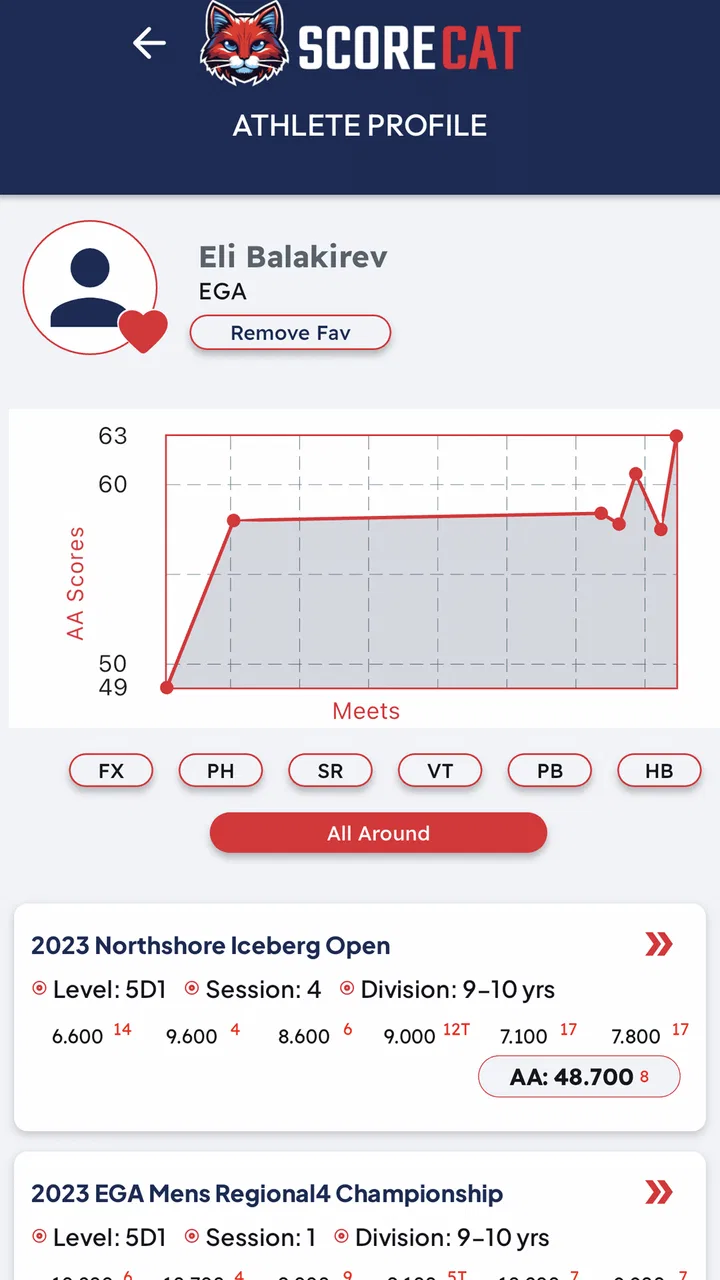
Following a gymnast’s performance from the sidelines is exciting, but it can also be surprisingly difficult when scores are changing quickly and several athletes or teams are involved. ScoreCat is a sports app built around that specific problem: keeping live competition information close to you while you follow an athlete or a team. I found its purpose easy to understand, and its focus makes more sense during an active meet than during quiet preparation at home.
The app is developed by ScoreCat and is available free of charge, with optional in-app purchases ranging from $3.99 to $39.99 per item. It is rated for Everyone, runs on Android 7.0 and later, and the current version is 17.11.62. Its audience is still fairly modest, with over ten thousand installs, an average rating of 3.4 from around fifty ratings, and roughly thirty reviews. Those figures suggest an app with a clear use case but also one that deserves a practical test before you make it part of your regular competition routine.
How ScoreCat feels when the meet is happening
I find ScoreCat’s value easiest to judge once the meet is underway, when attention is split between the floor, people nearby, and the phone in my hand. This section looks at how I’d fit a quick score check into that busy moment without letting the app take over the experience. It also sets up the practical question of what to do when an update does not arrive as expected.
You May Also Like

 AccuWeather: Weather Radar
AccuWeather Review: A Quick, Clear Forecast for Everyday Decisions
For everyday plans, the best forecast is the one you can understand quickly. AccuWeather makes rain timing, radar, and local conditions easy to act on, with a few trade-offs.

 Hill Climb Racing
Why Hill Climb Racing Still Turns Crashes Into One More Run
A tiny car, a bumpy hill and one more upgrade: Hill Climb Racing keeps resurfacing because its simple chaos makes every near-miss feel personal.

 AliExpress - Shopping App
AliExpress Makes Global Shopping Feel Personal, but Shoppers Bear the Risk
AliExpress turns a global marketplace into a pocket-sized discovery engine. Its reach is useful, its shopping loop compelling, and its trade-offs easy to miss.

 Lords Mobile: Kingdom Wars
Lords Mobile Is a Kingdom-Building Routine, Not a Quick Match
A case-by-case verdict on the building, battles, device demands, and social commitments that make Lords Mobile rewarding for some players and exhausting for others.

 PDF Scanner app - TapScanner
TapScanner Makes Paperwork Easier to Capture, Check, and Share
TapScanner makes scanning with a phone feel less like a rescue operation and more like a dependable step in getting work done. Its capture tools are useful, though not flawless.

 Block Blast!
 Shows How Much a Puzzle Game Can Leave Out
A quiet grid game shows why puzzle players increasingly value instant clarity, repeatable skill and low-pressure play—and where the genre still needs to catch up.
More From Our News Desk
View All News


Live information is useful only when the connection holds
The central appeal is the relationship between the app and a live event. When a gymnast is competing, a score is valuable because it arrives in context: you may be waiting for a rotation, comparing a team’s progress, or trying to understand where an athlete stands after a routine. A static results page can eventually tell you the outcome, but a live-score app is meant to reduce the waiting and repeated checking that usually comes with following a meet.
That also means connectivity shapes the experience more than it would in a simple reference app. The useful moment is the moment when a score is posted and you are ready to see it. If the network is slow, crowded, or inconsistent, the app can feel less immediate even when the underlying event is moving normally. I would treat a reliable mobile connection as part of the practical setup rather than assuming the app will behave like a fully self-contained score sheet.
This is especially important in a gymnasium, where many spectators may be using their phones at once. A weak signal can turn a quick glance into repeated refreshing or uncertainty about whether the displayed information is current. My advice is to open the app before the event begins, locate the athlete or team you plan to follow, and give yourself time to understand the screen while the connection is calm. That small preparation is more useful than waiting until a routine has just finished.
A good fit for parents, teammates, and people following from elsewhere
The strongest audience is someone who cares about a particular athlete or team but cannot keep watching the floor continuously. A parent may be helping with equipment, talking to another family, or moving between areas of a venue. A teammate may be preparing for a later rotation. Someone at home may be following a competition from a distance. In each case, the value comes from reducing the need to ask another person for every update.
One realistic example is a parent attending a long competition with more than one child involved. Instead of standing beside the scoring area throughout the meet, the parent can check the relevant live information while moving between warm-up areas, seating, and the exit. The app does not remove the need to pay attention to the event, but it can make the gaps less frustrating when the next score matters.
It can also help a team supporter follow progress without confusing the purpose of the application with full coaching software. I would not approach it expecting detailed training analysis, a replacement for official judging information, or a complete record-keeping system. Its practical role is narrower and clearer: helping you keep track of live scores for an athlete and a team.
Using it on a small phone in a busy venue
Mobile convenience is the reason an app makes sense here. A phone is already in your hand, and checking a score takes less effort than finding a laptop or repeatedly searching a browser. The trade-off is that a small screen can make fast-moving information harder to interpret, especially when you are standing, carrying bags, or sharing attention with the competition.
I found that the best habit is to use short checks rather than leave the app open as if it were a television broadcast. Look at it after a routine, before a rotation, or when someone nearby mentions that scores have been posted. This approach saves battery and reduces the temptation to stare at a screen during the performance itself. It also makes the app feel like a useful companion instead of a distraction from the meet.
For someone following only one athlete, the experience should be easier to manage than tracking an entire field. Following a team is more demanding because team progress can involve several routines and changing attention from one competitor to another. Before the event starts, decide whether your priority is one athlete, the team result, or both. That decision helps prevent unnecessary checking and makes the information more meaningful.
There is another practical issue: a phone can lose signal when you move around a venue. A score that appeared in one seating area may not update immediately after you walk elsewhere. I would avoid assuming that a frozen screen means the competition has stopped. First check the connection, then try again when you have moved to a place with a stronger signal. This is a simple habit, but it prevents a great deal of avoidable confusion.
What to do when updates seem late or the app stops responding
Any live-score experience needs a sensible recovery routine. If an update does not appear, I would begin by checking whether the phone itself has a working connection rather than repeatedly tapping the same control. A crowded venue, temporary signal change, or delayed event update can all look similar from the user’s side. Closing and reopening the app may help when the screen is stuck, but it should not be the first assumption that the score is wrong.
It is also wise to compare important information with the official event display or a nearby organizer when the result affects a decision. That is not a criticism unique to ScoreCat; live information can be delayed at its source before an app ever receives it. For casual following, a short delay may be harmless. For a coach, official representative, or anyone making a time-sensitive decision, the app should be treated as a convenient view rather than the only authority.
Recovery is easier when you avoid changing several things at once. Note what you were expecting to see, check your connection, return to the relevant athlete or team, and then give the update a moment. Constantly switching between screens can make it harder to tell whether the information changed or whether you simply moved to a different view. This is one of the less obvious lessons of live-score apps: a calm checking process is often more reliable than frantic refreshing.
I would also keep the app updated when a new version is available, particularly because the current release is 17.11.62. Updates can matter more for a connected event tool than for an app used only occasionally, since compatibility and timely data handling are central to its purpose. At the same time, I would update before leaving for a competition rather than just as the meet begins, when troubleshooting is least convenient.
Being careful with mobile data and battery
ScoreCat is designed around live information, so frequent checking can use more mobile data and battery than opening a simple static page once. I would not leave the screen active for an entire competition unless I had a specific reason. Short checks are usually the better compromise: they preserve the app’s main benefit without turning the phone into a permanent live monitor.
If your mobile plan is limited, use venue Wi-Fi when it is dependable, but do not assume public Wi-Fi will always be faster or more stable. An overloaded network may be less useful than your normal mobile connection. The practical choice is to test the connection before the event and use whichever option gives the most consistent updates. If you switch networks during the meet, allow the app a moment to reconnect instead of judging it immediately.
Battery planning matters too. A long day at a gymnastics venue may already involve photos, messages, navigation, and calls. Keeping a charger or power bank available is sensible if live scores are important to you. Lowering screen brightness and checking only at meaningful moments can extend use without sacrificing the feature that brought you to the app.
There is a useful trade-off between freshness and attention. The more often you check, the more likely you are to notice a new score quickly, but the more likely you are to miss the performance, drain the battery, or spend data on information that has not changed. I prefer a deliberate rhythm: check around rotations, after a routine, or when the event schedule suggests an update is likely. That makes the app more helpful and less intrusive.
Where it beats ordinary alternatives, and where it does not
The usual alternatives are asking another spectator, watching an official display, checking a browser page, or waiting for someone to send a message. ScoreCat’s advantage is convenience: it places the score-following task on the phone you already carry and gives it a dedicated sports purpose. That is particularly useful when you are not positioned near a scoreboard or when you need to follow an athlete while moving around.
A browser can be better when you need broader event context, such as a full schedule, announcements, or several kinds of results in one place. An official display can be better when you are already close enough to read it and want the most direct venue information. A message from a coach or family member may be better when the question is about what happens next rather than what score has just appeared.
ScoreCat therefore makes the most sense as a focused companion, not as a universal replacement for every source. Its specialization is a strength when your question is simple and immediate: how is this athlete doing, or where does this team stand? It is less convincing for a reader who wants a broad gymnastics information hub, detailed performance breakdowns, or a tool for managing training.
Who should try it and who should look elsewhere
I would recommend trying it if you regularly attend gymnastics competitions, follow a specific athlete, support a team, or need a convenient way to stay informed while away from the main viewing area. The free entry point makes it easy to test in a real event before deciding whether any optional purchase is worthwhile. Because the app is rated for Everyone, it is also approachable for families, although the usefulness will depend more on the event and connection than on the age of the user.
I would be more cautious if you rarely follow live meets or if your main need is training analysis. In those situations, a general sports results service, an official event channel, or a dedicated coaching tool may be a better match. I would also skip making it your only source when a score has formal consequences and the venue’s official information is available.
The rating of 3.4 from around fifty ratings reflects a mixed early reception rather than overwhelming confidence. I read that as a reason to keep expectations realistic: the app has a specific job and can be useful when that job matches your situation, but it may not feel essential outside competition days. The relatively small install base also suggests that this is a focused tool rather than a widely established general sports platform.
My verdict on staying connected with ScoreCat
ScoreCat is at its best when I need a quick, mobile way to follow live gymnastics scores for an athlete or team while the event is unfolding. Its usefulness comes from timing, and timing depends on connectivity. A stable network, a charged phone, and a simple checking routine make a noticeable difference. Without those conditions, the experience can become slower and less certain than the idea suggests.
I like the app’s focused purpose and the way it fits real spectator situations: moving around a venue, helping a family member, following from home, or checking team progress between routines. I also appreciate that it can complement official displays instead of forcing me to choose one source for everything. The main limitation is that a connected live-score tool cannot control the quality of the network or the speed of event updates, so it needs to be used with sensible expectations.
My bottom line: choose ScoreCat when fast access to gymnastics scores is your priority, but keep an official source nearby for anything that must be confirmed. For regular followers, it is worth testing during a real meet and judging it by how smoothly it fits your venue, phone, and connection. For occasional spectators, the free version may be enough to see whether its focused approach solves a problem you actually have.
FAQs for ScoreCat
01What is ScoreCat and what can I use it for?
ScoreCat is a scorekeeping and game-tracking app designed to help players record results more conveniently than using paper and a pencil. It can be useful for board games, card games, sports matches, and other activities where keeping an accurate running score matters. Before downloading, check whether the available scoring options match the type of games you regularly play.
02Does ScoreCat support different games and scoring formats?
ScoreCat is intended to be flexible, but its usefulness depends on the scoring tools and customization options included in the version available for your device. Some users may only need a simple score counter, while others may expect player management, rounds, history, or specialized rules. Review the app’s current feature list to confirm it supports your preferred games.
03Can several players use ScoreCat on the same device?
ScoreCat can be convenient for group play because scores may be entered on one shared phone or tablet during a match. This avoids passing around paper and makes the current standings easier to check. However, the exact number of players, player-name options, turn controls, and score-editing features may vary, so verify these details before starting an important game.
04Does ScoreCat work without an internet connection?
A scorekeeping app is generally most useful when it can be used at the table, on the field, or while traveling without relying on a stable connection. ScoreCat may allow core scoring functions to work offline, but features such as synchronization, advertisements, backups, or online sharing can require internet access. Test offline behavior after installation if connectivity is important to you.
05Is ScoreCat free to download, and does it contain ads or in-app purchases?
The download price and monetization model for ScoreCat can differ between Android and iOS and may change with future updates. The basic version may be free while offering advertisements, optional purchases, or premium tools. Before installing, check the official store listing for current pricing, subscription information, advertising details, permissions, and whether any important scoring features are restricted.
Pros
- Simple interface makes match results easy to check quickly.
- Useful for following multiple teams across different competitions.
- Notifications can help you stay updated on important match events.
- Covers a broad range of football leagues and tournaments.
- Lightweight design should work well on most modern smartphones.
Cons
- Some leagues or lower-division matches may have limited coverage.
- Live updates can occasionally be delayed by network or data issues.
- Frequent notifications may feel excessive unless carefully customized.
- Advanced statistics may be less detailed than specialist sports apps.
- The experience depends heavily on having a stable internet connection.

ScoreCat
Gallery